The canvas for AI video creation.
Branch, compare, and chain AI generations on one infinite canvas — until the video is exactly right.
Spin up variations of any shot or asset, run them through different AI models side by side, and stitch the winners into a finished video.
One prompt shouldn't decide your whole video.
From any point on your canvas, spin off variations. Send the same video, image or audio through a different AI model.
Lay them side by side, watch them play, and keep the one that lands.
Fan out instantly
Branch any node into multiple takes without losing the original.
Compare across models
Run the same idea through different AI video and image models and judge them side by side.
Commit to a path
Pick a winner and keep building forward from it — your whole canvas follows.
Storyboard your videos to create consistent, polished content.
Plan your story as a set of scenes. Every scene remains visually consistent, with linked assets and characters that carry through. Then export the whole storyboard as one finished video, ready to post on TikTok, Reels, Shorts, or YouTube.
Storyboard your scenes
Generate an image for each scene first — a visual plan you can see and adjust before any frame moves.
Consistent across scenes
Reuse and link image assets so characters, style, and look stay consistent from one scene to the next.
Scene-to-scene flow
Chain your linked scenes into one coherent, continuous narrative — not a pile of disconnected clips.
In control of every asset and every scene
Nothing is locked in. Every asset and every scene stays yours to refine — branch a shot, generate alternatives, and compare scenes or assets side by side, keeping the best as you move toward the final product.
Every step is a node. Connect them into a video.
Start from an image or a line of text and wire one generation into the next. Each node does one job well — and the output of one becomes the input of another, all the way to a finished, polished video.
Generate an image
Create a starting frame or visual from a text prompt.
Edit an image
Refine, restyle, or fix any generated frame before it moves on.
Animate an image
Turn a still frame into motion with image-to-video models.
Consistent look, every clip
Carry a character or visual style through the whole video instead of fighting AI drift.
Add a voice
Generate natural narration in the voice and language you choose.
Stitch clips
Combine multiple clips into one longer, continuous video.
Layer audio
Drop music or sound under your video and mix it in.
Lip-sync
Match a character's mouth to your generated voice track.
Add captions
Burn in clean, on-brand subtitles automatically.
Create it once. Use it in every video.
Build the characters, props, and places your story needs, then reuse them across every project.
The same hero, the same product, the same location — recognizably consistent from scene to scene and video to video, with no re-prompting, no drift, and no re-uploading to keep things on-brand.
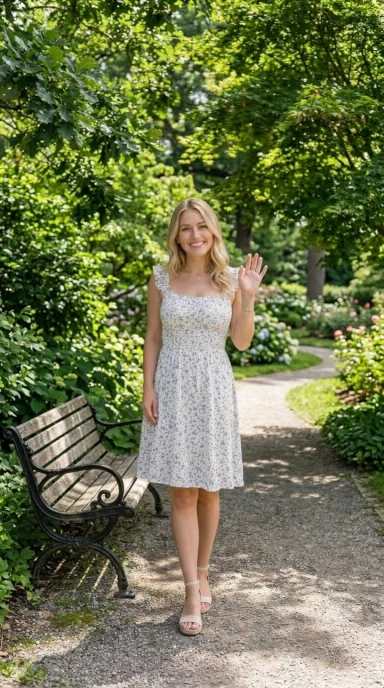 Your character portrait
Consistent across every video
The same character carries through scene after scene and project after project — no AI drift, no re-prompting to get the face back.
A face for your brand
Give your videos a recognizable mascot, host, or spokesperson — a consistent look your audience starts to recognize across everything you create.
Not just characters
Lock in a signature prop, product, or location too — your coffee shop, your packaging, your set — and reuse the exact same thing across every video instead of regenerating it each time.
One canvas instead of ten open tabs.
Most AI video work means hopping between model providers, pasting scripts around, and re-uploading the same assets just to keep things consistent. Vidraven does all of it in one place — so your time goes into the video, not into wiring tools together.
Everything in one canvas
No more stitching a workflow together across half a dozen tabs and apps. Generate, edit, voice, and assemble side by side on a single canvas — every piece of your video lives in one place you can actually see.
Switch providers without switching tools
New models drop constantly, and the best one changes by the week. Vidraven plugs the top image, video, and voice models into the same canvas.
Send any node to a different provider with a click — no new account, no re-uploading assets, no copy-pasting your script between apps.
Try again without starting over
Didn't like a take? Branch it and try another — your original stays right where it was. Nothing gets overwritten, so you can explore freely and always walk back to the version that worked.
Spend your time creating, not waiting
Renders run in the background while you keep building — fire off a generation and move on to the next shot instead of staring at a progress bar. Results drop onto the canvas the moment they're ready, so an afternoon of tool-juggling becomes a few focused minutes.
Built for creators who want control and consistency.
"As a creative director, I rely on tools that give me a holistic view of my projects. Vidraven helps me iterate and test ideas faster than ever all in one place."
Elena Rodriguez
Creative Director
"I love being able run every idea through multiple models and just pick the best one. Comparing every option side by side really helps me create better content."
Marcus Thorne
Content Creator
"As a founder I don't have time to juggle multiple tools. Vidraven allows me to build complete projects from start to finish while controlling every aspect."
Daniel Okafor
Founder & Solo Marketer